Seedance 2.5 Video Prompts for Fashion & Apparel: 5 Production Blueprints That Control Camera, Fabric, and Ad Variation
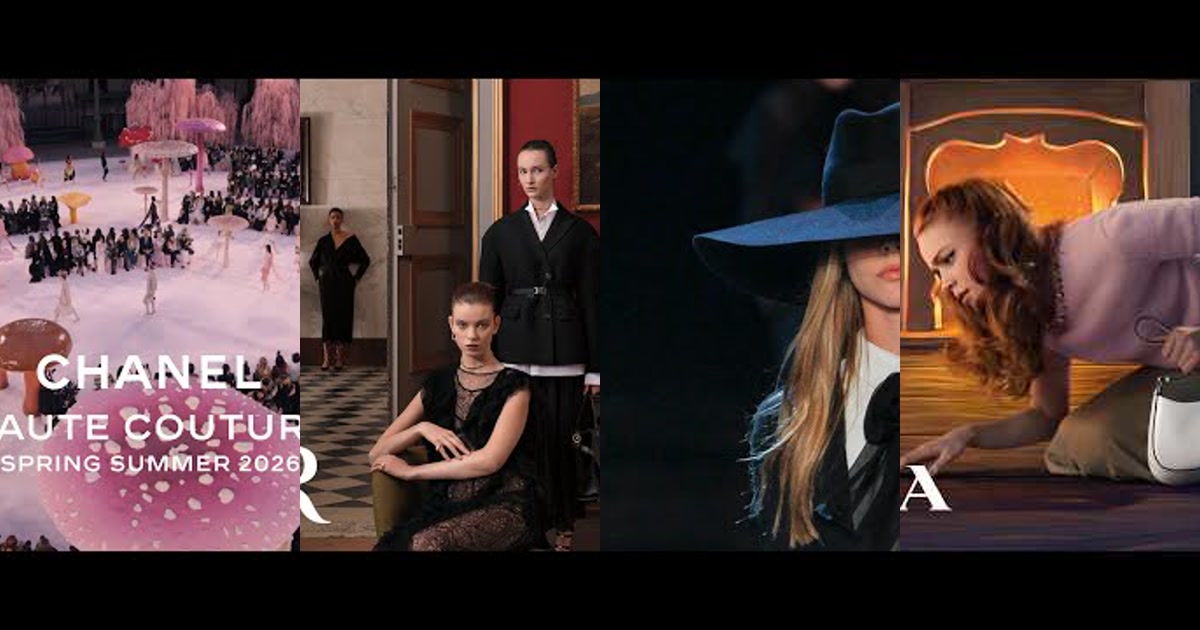
Seedance 2.5 works best when you prompt it like a shoot, not a moodboard
For Fashion & Apparel in November 2026, Seedance 2.5 can hold runway motion, fabric behavior, close-up texture, and character continuity when the prompt gives it production notes: lens, camera path, light shape, garment constraints, and motion intensity. The failure modes are still predictable: camera drift, invented seams or logos, melted hands during garment interaction, and fake texture when the fabric description gets too poetic.
The apparel prompt control stack
Describe silhouette, material, seams, color, fit, and forbidden changes before the scene.
One dolly, orbit, handheld pass, or macro push beats five competing movements.
Specify key, fill, rim, diffusion, and reflections so fabric reads as fabric, not plastic.
Once the shot works, vary hook, setting, offer, and crop without rewriting the whole prompt.
- Manual mood prompts -> attractive frames with unstable garments.
- Shot notation -> repeatable outputs for lookbooks, paid social, and PDP video.
- One garment variable per test -> a cleaner read on what changed performance.
- Prompt sheets -> the difference between five nice clips and a 500-asset ad pipeline.
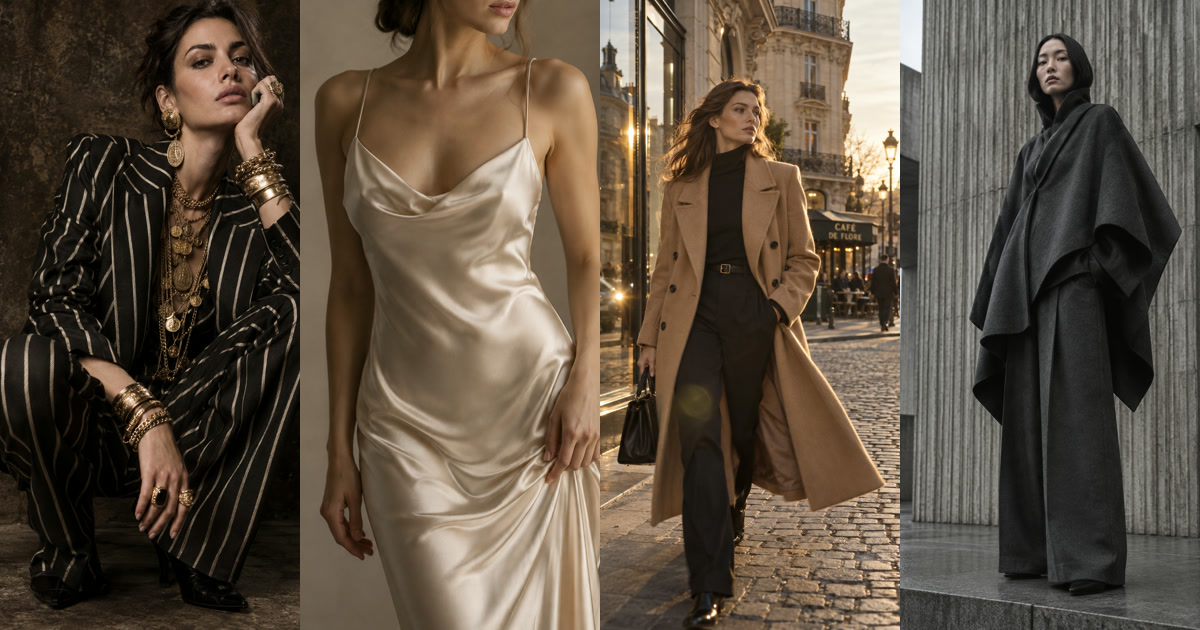
The strongest Seedance fashion workflows, from @abxxai's Riviera campaign framing to @Zyrellix's Paris editorial walk and @mehvishs25's perfume-style UGC, use the same discipline: they reduce ambiguity. They tell the model what to preserve, where the camera sits, how the light behaves, and what must not mutate.
Five tested Seedance 2.5 prompt blueprints for Fashion & Apparel
1. Hero commercial / runway / main subject reveal
Create a 10-second cinematic fashion hero film for [BRAND]. Main subject: [MODEL DESCRIPTION] wearing [GARMENT: silhouette, material, color, fit, closures, visible seams]. Preserve the garment exactly for the full clip: no color shift, no logo changes, no extra accessories.
Scene: minimal concrete runway with a dark reflective floor and soft haze. Camera: 35mm anamorphic lens, low-angle slow dolly forward from full-body wide to medium shot, slight 12-degree upward tilt as the model reaches mark. Lighting: large diffused overhead softbox, narrow cool rim light on both shoulders, low front fill, subtle floor reflection. Motion intensity: 3/5. Fabric motion: natural sway with each step, hem moves slightly, no exaggerated wind. Output: 9:16 vertical, 24 fps, editorial realism.
Syntax breakdown: 35mm anamorphic keeps the body readable without flattening the garment. A low dolly forward gives the shot runway authority without the identity drift that often appears in aggressive orbits.
- Camera tokens: low-angle slow dolly forward, 12-degree upward tilt, full-body to medium.
- Lighting: diffused overhead key, cool bilateral rim, low fill.
- Motion bucket: 3/5; enough gait and fabric movement, not enough to distort seams.
- Avoid: "dramatic fast runway camera" unless you want warped limbs and sliding floor contact.
2. Macro texture / product detail / sensory engagement shot
Create a 7-second ultra-realistic macro apparel detail film for [GARMENT]. Focus only on [FABRIC AREA: cuff, collar, knit rib, embroidery, zipper, leather grain]. The material is [MATERIAL SPECIFICATION] with [TEXTURE NOTES]. Do not invent patterns, labels, gems, stains, or extra stitching.
Camera: 85mm portrait macro lens, very slow 4-inch lateral slider move from left to right, shallow depth of field, focus pulls from front seam to fabric surface at second 3. Lighting: large diffused side key at 45 degrees, black negative fill on opposite side, tiny warm edge highlight to reveal weave. Motion intensity: 1/5. Add subtle hand interaction only if specified: one fingertip lightly brushes fabric once, no squeezing or folding. Output: 1:1 or 4:5, 24 fps, tactile product detail.
Syntax breakdown: Macro prompts fail when they ask for "sensual fabric" without naming a physical surface. Name the surface, the lens, the focus move, and the forbidden artifacts.
- Camera tokens: 85mm macro, 4-inch slider, focus pull at second 3.
- Lighting: 45-degree side key, negative fill, warm edge highlight.
- Motion bucket: 1/5; texture needs precision, not choreography.
- Avoid: floating fibers, invented embroidery, over-glossy "plastic satin."
3. Kinetic motion / camera fly-through / dynamic speed ramp
Create an 8-second kinetic fashion transition film for [BRAND] featuring [MODEL] wearing [OUTFIT]. The outfit must remain identical through every phase: same color, same cut, same footwear, same accessories.
Action: model pivots once, jacket hem swings naturally, then camera performs a fast controlled 45-degree orbit into a close hero pose. Camera: 24mm wide lens, gimbal-style push-in, speed ramp from slow motion to fast orbit between seconds 3-5, then stabilized lock-off for final 2 seconds. Lighting: high-contrast studio strobes, crisp rim light, soft frontal beauty fill, faint motion blur only during speed ramp. Motion intensity: 4/5. Output: 9:16, 30 fps, social-first kinetic apparel reveal.
Syntax breakdown: The lock-off at the end matters. Without it, Seedance may keep moving through the product moment, which hurts ad readability.
- Camera tokens: 24mm, gimbal push-in, 45-degree orbit, final stabilized lock-off.
- Lighting: strobes, crisp rim, beauty fill.
- Motion bucket: 4/5; use for outerwear, skirts, scarves, not detailed jewelry.
- Avoid: 360-degree orbit unless identity and garment continuity are already reference-locked.
4. Atmospheric environmental / golden hour / studio lighting setup
Create a 12-second atmospheric fashion editorial for [COLLECTION]. Main subject wears [GARMENT DETAILS]. Preserve face, hairstyle, body proportions, and full outfit from the reference image throughout.
Scene: [LOCATION: Riviera street, quiet Paris shopping street, rooftop terrace, desert road, studio cyclorama]. Golden-hour backlight, warm sun edge on hair and garment outline, soft bounced fill on face, gentle environmental haze. Camera: 50mm lens, slow handheld follow from three-quarter rear to side profile, then subject turns slightly toward camera. Motion intensity: 2/5. Fabric physics: breeze moves only loose fabric edges; fitted areas stay structured. Output: 16:9 cinematic for lookbook master, with safe center framing for 9:16 crop.
Syntax breakdown: This is the lane where prompts like @abxxai's Riviera setup and @Zyrellix's Paris walk work well: one place, one wardrobe system, one film look.
- Camera tokens: 50mm, slow handheld follow, rear-to-profile reveal.
- Lighting: golden backlight, bounced facial fill, haze.
- Motion bucket: 2/5; atmosphere without garment mutation.
- Avoid: "busy luxury street" if the garment is the product; background detail competes with fit detail.
5. High-conversion social ad hook / UGC demonstration shot
Create a 15-second realistic UGC apparel ad for [PRODUCT]. Subject: [CREATOR TYPE] in a clean bedroom or apartment mirror setup, wearing [GARMENT]. The garment must stay consistent: exact color, fit, length, neckline, sleeve shape, and material.
Shot structure: seconds 0-2 thumb-stopping mirror reveal; seconds 3-7 subject shows stretch, pocket, waist, or drape; seconds 8-12 quick before/after styling change using the same garment; seconds 13-15 final close-up and natural smile. Camera: vertical smartphone, 26mm equivalent lens, handheld but controlled, slight autofocus breathing. Lighting: soft window key, warm practical lamp in background, no beauty filter. Motion intensity: 2/5. Output: 9:16, 30 fps, paid-social UGC.
Syntax breakdown: @doctorwasif and @techhalla-style handheld realism works because imperfection is specified, not accidental. For apparel ads, keep the demo action physical and limited: pocket, stretch, drape, waist, hem.
- Camera tokens: vertical smartphone, 26mm equivalent, handheld, autofocus breathing.
- Lighting: soft window key, warm practical, no glam filter.
- Motion bucket: 2/5; enough human proof, not enough to scramble fit.
- Avoid: rapid outfit changes unless every garment has its own reference.
Model parameter cheat sheet for apparel operators
| Use case | Aspect ratio | Motion | FPS | Guidance posture |
|---|---|---|---|---|
| Paid social UGC | 9:16 | 2/5 | 30 | High garment constraints, loose human delivery |
| Runway hero | 9:16 or 16:9 | 3/5 | 24 | Strong camera path, fixed wardrobe |
| Macro detail | 1:1 or 4:5 | 1/5 | 24 | Strict material and artifact negatives |
| Kinetic reveal | 9:16 | 4/5 | 30 | Lock final frame for ad readability |
Treat these as operating defaults, not fixed doctrine. If a wrapper exposes "guidance," start higher for garment fidelity and lower it only when the clip feels stiff. If it exposes "motion strength," reduce motion before rewriting the whole prompt.
A repeatable workflow for scaling beyond one good clip
- Build one master reference: front, side, rear, close texture, and fit notes. This is where character-locked lookbooks win or lose.
- Create five shot families: hero, macro, kinetic, environment, UGC. Do not mix their syntax.
- Freeze garment variables: color, cut, material, logo placement, length, fastening, styling.
- Vary only ad variables: opening frame, creator type, location, offer line, crop, CTA.
- Review by failure code: drift, texture hallucination, hand error, lighting mismatch, weak hook.
This is where GEN Vidsheets helps enterprise teams. A prompt in a document is a one-off; a Vidsheet turns the prompt into rows of controllable variants: SKU, garment attributes, shot type, hook, aspect ratio, negative constraints, approval status, and publishing destination. For performance advertisers, that lets the creative team maintain visual rules while media buyers produce enough variations for real testing.
For adjacent workflows, see video AI production systems and AI social media agent workflows.
Frequently asked questions
What is the best Seedance 2.5 prompt format for fashion videos?
Use a shoot-brief structure: garment lock, scene, camera, lighting, motion, output, negatives. Put garment preservation before cinematic language so the model prioritizes fit and fabric over vibe.
Should fashion brands use 9:16 or 16:9?
Use 9:16 for paid social and creator-style demos. Use 16:9 for campaign masters, lookbooks, landing-page video, and crops that need more environment. If budget is tight, compose 16:9 with a safe center so it can be cropped to 9:16.
How do I stop Seedance 2.5 from changing fabric texture?
Name the fabric physically: ribbed cotton, matte crepe, brushed wool, washed denim, pebbled leather. Add negatives against extra stitching, invented logos, gloss, pattern changes, and color shift. Keep motion lower for macro shots.
Can these prompts be used for high-volume ad testing?
Yes, but not by manually rewriting them. Put the prompt components into a sheet-based system like GEN Vidsheets, then vary hooks, scenes, creators, and offers while locking the garment rules.
Takeaway: Seedance 2.5 rewards production discipline. For apparel, the winning prompt is not the most cinematic one. It is the one that preserves the garment while giving the camera exactly one job.